

Contents: AI for Law Firms: A Comprehensive Guide
-


19. Law Firm AI Integrations: Connecting Intake, Email, Docs, and Billing
Most lawyers who’ve tried AI already know it can draft a decent email or summarize a contract. The hard part isn’t the prompting. It’s what happens next: copying the output into your practice management system, re-entering client details you’ve already typed twice, chasing down the context that got lost between your inbox and your matter file.
That copy-paste tax adds up fast. And it’s the reason most AI adoption stalls after the first few weeks of experimentation. A standalone AI tool can speed up a single task. If every output has to be manually moved, reformatted, or re-entered somewhere else, you’re trading one kind of busywork for another.
Law firm AI integrations are how you close that gap, turning scattered experiments into something your whole firm can rely on.
What are AI integrations for law firms?
AI integrations for law firms are simply AI that’s embedded in, or connected to, the systems your firm already uses for legal work: case management, legal billing, email, and document management. Instead of generating an output you have to move by hand, an integrated AI tool can pass information between steps on its own—pulling data from an intake form into a matter summary, for example, or turning an email thread into a task list inside your matter file.
AI integrations should respect your firm’s confidentiality rules, access controls, and review workflows. The goal is to move information more efficiently, not to bypass the checks that keep client data safe. When those foundations are in place, integrations move AI from helpful to operational, making it a reliable part of how the firm works every day.
| Before AI integrations | After integrated AI |
| The attorney spends 15 minutes re-entering intake details into a matter, 10 minutes copying email notes, and 20 minutes reconstructing time entries at the end of day = 45 minutes of unbillable rework per matter. | Intake data flows into the matter automatically, emails generate tasks and notes, and time entries draft themselves from work performed = near-zero rework. |
The connected workflow model

Think about the path a typical matter takes through your firm. A lead comes in through intake, you open a matter, exchange emails, draft documents, manage tasks and deadlines, then bill for the work. Each stage builds on the one before it, passing information along the chain.
AI is most effective when it can work across that entire chain. In a connected workflow, information captured at intake flows into matter setup, informs communications, populates documents, triggers tasks, and enables accurate billing and reporting. No re-keying. No context lost between steps. The result is less context switching, lower cognitive load by 25% in everyday legal tasks, and more consistency across every matter the firm handles.
Not all AI tools are built to work this way. Many of the top tools in the market do a few things well. Few cover everything a lawyer or law firm needs across a full practice. The most effective AI integrations go a step further: They retain the context of each matter over time. When AI draws on documents, communications, deadlines, and notes already in the system, every output becomes more relevant and accurate without requiring lawyers to re-upload or re-explain.
What to integrate first: Quick wins that build confidence
You don’t need to wire up every system at once. Even without dedicated technical resources, the most effective approach is to start with small, high-impact integrations that reduce repetitive work and show immediate value. Pick one handoff that’s costing you time right now. Here are a few starting points for AI tool integrations for law firms, based on common AI use cases in law:
- Intake forms to matter summaries. Instead of reading through a full intake form and typing up a summary, AI pulls the key facts and generates a matter overview with suggested next steps.
- Client questionnaires auto-filled into documents. AI pulls client and matter details from your questionnaires and populates your documents automatically.
- Email threads to matter notes and tasks. AI reads the thread, logs the relevant updates to the matter, and creates follow-up tasks with deadlines.
- Documents to key facts. AI scans a contract and summarizes key provisions or flags missing terms.
- Meeting notes to action items. AI turns a call transcript into a list of who’s doing what by when.
- Work performed to time entry drafts. AI generates billing descriptions from the work you’ve already done, so you’re not reconstructing your day at 6 p.m.
Integrating AI into familiar, everyday workflows removes friction without changing how lawyers work. Adoption becomes smoother and confidence grows over time, whether you’re a paralegal, legal administrator, new associate, or seasoned partner.
Say hi to your new AI legal assistant
No more chasing deadlines. Manage AI is the teammate that handles your routine tasks, from invoices to file summaries, so you can reclaim more hours for billable work.
Meet Manage AI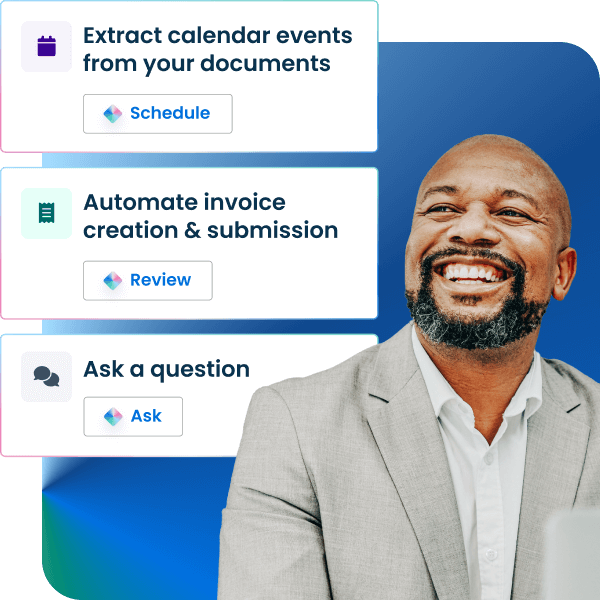
The core systems to connect
For AI to become part of everyday practice, it needs to connect to a law firm’s core systems. These systems are common to firms of all sizes, from sole practitioners to mid-sized practices. They include client intake, communications, document management, matter tracking, and billing.
- Intake and CRM. AI helps qualify and summarize new leads, ensuring they reach the right lawyer. It standardizes what gets captured at intake so screening doesn’t rely on individual memory. This reduces time spent chasing missing details and leads to more consistent onboarding.
- Email and communications. AI turns conversations into structured matter updates and task lists. This keeps communications organized and actionable, and reduces dropped follow-ups.
- Documents and drafting. AI helps with first drafts, summaries, comparisons, and consistency checks. It works best when connected to firm templates and precedents, helping maintain quality and alignment with firm practices.
- Matters and task management. AI generates checklists, timelines, and next steps based on matter type. This improves visibility, supports coordination across team members, and keeps execution consistent.
- Billing and finance. AI drafts time-entry descriptions, flags missing or incomplete time, and accelerates billing cycles. Always review AI-generated entries for accuracy and compliance with firm standards.
Integration pitfalls (and how to avoid them)
A few common pitfalls come up as firms start integrating AI into their workflows. Getting the basics right matters, and the key is remembering that security and governance are not optional extras. They are really the foundation for using AI responsibly and effectively.
- Tool sprawl and “AI fatigue.” Bringing in too many tools at once can overwhelm users and slow adoption. The goal is to better connect the systems you already use. This reduces tool sprawl and minimizes the number of handoffs between platforms.
- Inconsistent outputs. When prompts and configurations vary across teams, so can the results. Establishing clear templates, guidelines, and parameters helps keep outputs consistent and reliable, no matter who’s using the tool.
- Weak governance. Without clear roles and permissions, risks around data access and confidentiality can start to emerge. Your governance framework should reflect the firm’s ethical obligations, law firm AI policy, and security requirements. See how to introduce AI into your law firm for the basics.
- Data risk from unmanaged tools. Using unapproved or unsecured tools can expose sensitive information. To avoid this, stick to vetted, secure systems, apply strict access controls, and include mandatory human oversight. General AI tools like ChatGPT are the most commonly used among legal professionals, but these tools weren’t designed for legal work and may not meet confidentiality requirements.
- Over‑automation without review. AI should enhance, rather than replace, professional judgment. Every output should go through a human review step to ensure accuracy, relevance, and appropriateness.
Each of these challenges can be managed through the right balance of structure, governance, and oversight. The goal is secure, reliable workflows where every output gets the review it deserves and lawyers stay in control of every output.
Best practices for implementing AI integrations in a small or mid-sized firm
You don’t need a complex strategy to start using AI into your firm’s workflows. A focused, practical approach can deliver quick wins while laying the groundwork for broader adoption. Firms that widely adopt AI are 1.9 times more likely to see positive revenue impact than firms overall. Connecting AI across systems amplifies this effect. When AI connects across workflows rather than operating in isolation, the time savings compound at every handoff.
Start small with one workflow
Focus on one workflow and one system pair (e.g., intake to matter setup) rather than trying to integrate everything at once. This makes it easier to learn, adjust, and scale over time.
Define inputs and outputs
Be clear on what information goes in and what a “good” output looks like. This helps guide both configuration and quality control.
Build reusable prompt templates
Consistent, well‑structured prompts reduce variability and improve reliability. Use templates and defined review steps to keep outputs repeatable and aligned with firm expectations.
Keep humans in the loop
AI should accelerate the work, not replace professional judgment. Include a human review step for approvals, edits, and quality checks.
Track outcomes
Measure practical metrics like time saved, error reduction, and faster turnaround. For reference, the 2025 Legal Trends Report found that firms using Clio’s AI saw a 129% improvement in correct responses and 40% higher task completion in document review, a benchmark for the kind of gains integrated AI can deliver.
Document the workflow
Capture how the process works so it can be repeated, refined, and scaled across the firm.
Choose a platform, not a point solution
Rather than connecting multiple standalone AI tools, look for a platform where AI is embedded across intake, matters, documents, and billing. This reduces tool sprawl, consolidates governance, and ensures that context flows between steps, so AI gets more useful with every matter, not just faster.
Why “platform‑first” AI integrations matter
AI integrations for law firms are most effective when they’re built on top of a system that already connects matters, documents, tasks, and billing. Rather than layering isolated tools across the firm, a platform-first approach brings these functions together in one cohesive environment.
This reduces friction so information moves between systems on its own, without manual handoffs. Clio’s Intelligent Legal Work Platform connects both the practice and the business of law in one place, with AI embedded across intake, matters, documents, and billing. You can draw from matter insights when working with documents, capture billable time automatically, and create bills without switching between systems. Because everything lives on one platform, adoption is easier, workflows stay consistent, and governance is simpler, with roles, access, and permissions all managed in one place. Clio is certified to SOC 2 Type 2, ISO 27001, GDPR, and HIPAA standards, and client data is never used to train AI models.
As the future of legal AI moves toward connected systems, this platform-first approach is the long-term path to connected AI across the firm, where every integration builds on a shared foundation rather than adding another disconnected tool.
Your next step this week
The best way to move from concept to practice is to start small and build intentionally. Identify one high-frequency handoff: intake to matter setup, email to tasks, or document to summary. Pilot it across a limited set of matters.
Next, standardize your prompts and define what a good output looks like. Review the results, make adjustments, and refine the workflow as you go. Once it’s stable, expand to the next integration and keep building from there.
This incremental approach lets firms introduce AI in a controlled, practical way. It builds confidence, creates repeatable processes, and demonstrates value early, creating the conditions for AI to become a consistent, reliable part of daily legal work.
Like any lasting change in a law firm, AI adoption rewards consistency. Progress comes through steady, deliberate steps, each one making the next a little easier.
Explore more AI for lawyers guides to learn how to build practical, step-by-step AI workflows. See how Clio’s Intelligent Legal Work Platform connects your tools and teams for a more connected way to work.
What AI software do law firms use?
Law firms use a range of AI tools depending on their specific needs. Increasingly, they rely on AI software integrations for law firms to connect these capabilities across their workflows. Common tools include legal research platforms, document review and drafting tools, contract analysis software, and workflow automation systems. Together, these integrations help firms reduce manual work while maintaining accuracy and compliance.
How do law firms use AI?
Law firms use AI to summarize documents, draft correspondence, review contracts, organize emails into matter notes, generate time entries, and reduce routine administrative work. In practice, AI reduces manual effort while keeping human review and professional judgment at the forefront.
Say hi to your new AI legal assistant
No more chasing deadlines. Manage AI is the teammate that handles your routine tasks, from invoices to file summaries, so you can reclaim more hours for billable work.
Meet Manage AI